
AUTOMATE PLANET · RESTAURANT CATERING INQUIRIES · PRACTICAL AI GUIDE
A restaurant catering inquiry checklist for AI-assisted follow-up
A restaurant can use AI to turn a catering question into a proposal-ready brief: event date, headcount, service style, location, contact details and questions for the kitchen. The assistant can organize the request and explain the next step. Staff still confirm capacity, dietary accommodations, menu choices and the final proposal.
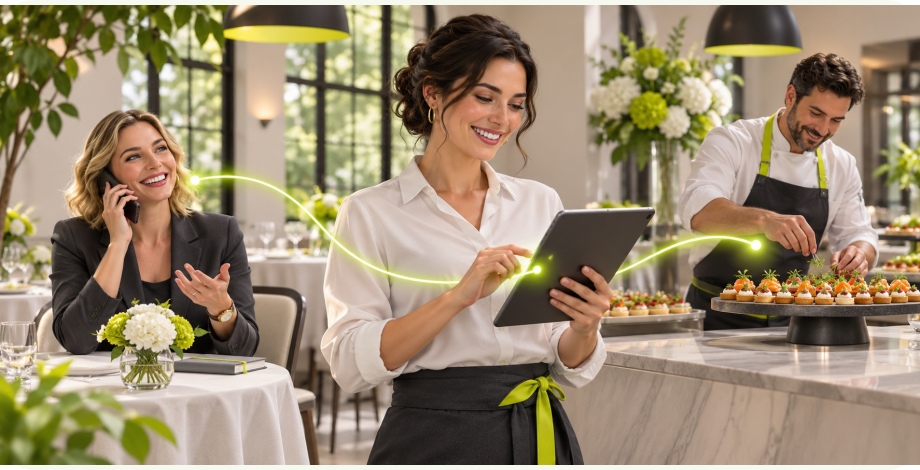
The workflow at a glance.
- 1RequestDate, guests and service style
- 2ReviewKitchen and event capacity
- 3ProposalOwned next step and version
Give tomorrow’s events team a usable brief
An organizer asks about feeding a group while your dining room is busy. A name and phone number alone leave the next shift with another round of questions. A structured inquiry can preserve what the guest already knows and show what still needs a conversation. This is particularly useful when the person wants catering outside regular office hours.
The aim is a complete brief with a named staff owner, not an instant promise to cater any event. Separate inquiry received, kitchen review, proposal prepared and customer accepted. A friendly acknowledgment should explain when and how your team normally follows up using your own approved response policy.
Prepare the menu and event rules first
Collect the catering menu, service area, minimum order rules, delivery options, lead-time policy and event-team contact route. Identify who approves exceptions and who updates the source when a platter, delivery zone or staffing option changes. The assistant needs a dependable reference instead of memories from a previous event.
Use progressive questions. Establish the date, approximate headcount and pickup, delivery or staffed service first. Then ask only the details relevant to that choice. An undecided guest can supply a range and request advice; a rigid form should not force them to invent a number just to continue.
Your implementation worksheet
Use this original worksheet with the person who owns the workflow. Fill it from your current process before connecting tools. A blank answer is a design question to resolve, not an invitation for the assistant to guess.
| Define this | Record or decision | Who confirms it |
|---|---|---|
| Event date and time | Serving time, date flexibility and relevant time zone | Event coordinator |
| Headcount | Estimated guests and deadline for a final count | Organizer and event team |
| Service style | Pickup, delivery or staffed event | Operations lead |
| Menu and dietary questions | Preferences and questions needing kitchen review | Kitchen lead |
| Venue access | Address, load-in restrictions and service area fit | Delivery or event lead |
| Commercial next step | Proposal owner, version and follow-up date | Authorized sales owner |
Build the brief around the event
Connect the mobile inquiry form, phone assistant or chat to one event record. Include time zone where relevant, arrival or serving time, venue access and the organizer’s preferred reply channel. Keep customer preferences separate from restaurant commitments. A request for a particular menu does not mean the kitchen approved it.
For dietary needs, record the guest’s question and route it to the responsible staff member. Do not let an assistant independently guarantee allergen safety, cross-contact prevention or suitability. A kitchen-approved answer can be passed along with the event context, while unresolved questions remain clearly visible in the brief.
Move from staff review to a clear proposal
Route a small pickup order differently from a staffed off-site event if your process requires it. The event owner checks capacity, service logistics and menu availability before preparing a proposal. Save the proposal version that was sent, the questions still open and the next follow-up date.
A reminder should stop when the organizer replies, declines or accepts. If the date or headcount changes, return the brief for review rather than continuing to chase an outdated proposal. Where messaging is connected, delivery states distinguish a queued message from a delivered one. Failed contact belongs in the staff queue.
Test the exceptions before launch
Menu or capacity changes
The following are proposed acceptance checks, not reported client test results. Run them with fictional records in an authorized test environment. For each case, record the expected outcome, actual result, reviewer and correction. Test the normal path as well, from the first request through the final saved state.
| Try this case | Expected behavior |
|---|---|
| Guest does not know the final headcount | Store a range and a follow-up question without fabricating a final quote. |
| Guest changes the event date | Pause the old proposal path and recheck capacity. |
| Dietary question has no approved answer | Route to kitchen review without an assurance. |
| Same organizer calls after submitting online | Find and update the existing event brief after confirmation. |
| Proposal email fails | Keep the proposal unsent or failed and assign a follow-up task. |
Start with one useful workflow
Start with a catering inquiry page and one staff review queue. Put the menu and event-policy sources under an owner’s control, then test whether the team can prepare a proposal from the saved brief without restarting the conversation.
Next, connect a supported CRM, approved proposal workflow and consent-appropriate reminders. Automate Planet can help design the page, configure the intake questions and map the handoff. A complex staffed event should still reach the people who can commit resources.
Explore our current industry packages and the broader industry automation guide. The selected package, supported connections and agreed scope determine what we implement. We can review your current tools before recommending a replacement.
Measure the work that actually changes
Track briefs complete enough for review, clarification rounds, time to first staff response and proposals issued. Compare similar event sizes and service styles. A larger inquiry count is not the same as more accepted catering work.
Review lost inquiries by stage. If guests abandon the form at venue details, simplify that step. If complete briefs sit untouched, improve ownership and notifications before adding another acquisition channel.
Connect useful search content to a clear next step
Publish useful answers about catering lead times, service styles and what information an organizer should prepare. Use actual menu and service-area facts, with a clear request button near the answer. Avoid pages that only replace one city name with another.
Link the catering guide from your restaurant’s menu and event pages. A visitor arriving through an AI answer should be able to understand the service and start an inquiry without hunting through an online ordering cart.
Google’s AI-search guidance does not promise inclusion in AI answers. Keep your public answers current and link them to a working inquiry path.
Common questions
Can the AI quote a catering event immediately?
Only within a pricing process your restaurant explicitly approves. A custom event, uncertain guest count or staffing requirement should go to the event team. The first useful result is a clear brief, not an invented price.
What should it ask first?
Start with date, approximate headcount and service style. Those answers determine whether to ask about venue access, delivery timing or staffed service. Collect a reply contact before handing the brief to the event team.
Can it handle dietary questions?
It can collect the question and share current kitchen-approved information. It should route uncertainty to staff and never independently guarantee allergen safety or suitability.
Can guests change an inquiry later?
Yes, when the workflow connects the update to the existing record. Changes to date, guest count or menu should reopen the relevant review and stop reminders about an obsolete proposal.
Do we need to replace our ordering system?
Not necessarily. Catering may begin as a separate request-and-review path. Any integration with ordering, CRM or proposal software depends on its supported interfaces and the agreed scope.
What should we bring to a planning call?
Bring your catering menu, service area, event rules, current inquiry form and the questions staff repeat most often. Use an anonymized example rather than a real customer’s details.
Sources and editorial approach
- Twilio: message resource and delivery states
- Google Search Central: AI features and your website
- Automate Planet: restaurants services and packages
How this page was prepared. AI-assisted writing based on our workflow design and the primary sources linked here. This is implementation guidance, not a report of a completed client deployment.
This guide presents our proposed implementation method, supported by the technical references linked here. The worksheet and launch checks are planning tools; they are not results from a completed client deployment. Artwork shows the intended workflow without customer data.
Build the first useful connection.
Tell us about your current process, the tools you use and the step that needs attention. We can help turn this guide into a scoped implementation plan.
Plan my restaurant catering workflowExplore industry packagesYour next chapter.
Starts here.
Tell us what you want to make easier. We’ll help connect the right people, processes, and AI.
Make time for what’s next.
A one-hour consultation to explore your goals, workflows, and opportunities.