
AUTOMATE PLANET · RESTAURANTS · AI IMPLEMENTATION
AI automation for restaurants: workflows, integrations and implementation
Automate Planet can help restaurants connect direct ordering, guest questions and kitchen handoffs through an industry website, configured voice, text and chat agents, and supported system integrations. The starting point is one complete customer journey with current information, permitted actions and a staff-owned exception path.
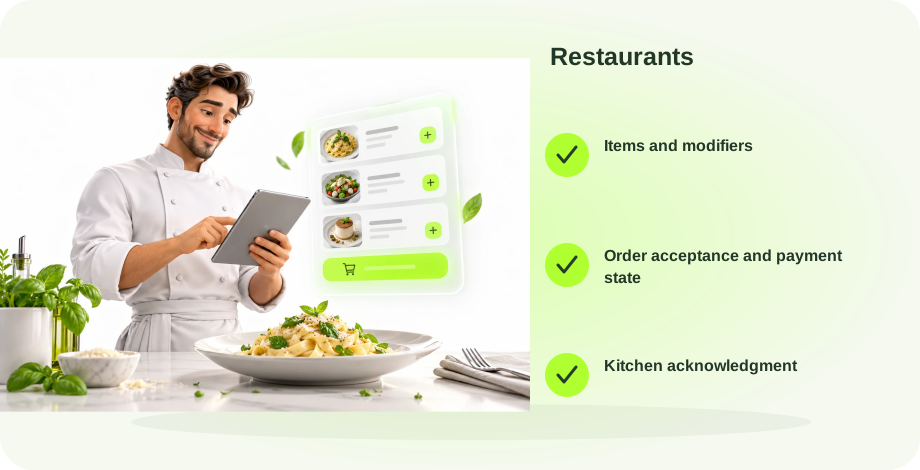
Restaurants: connect the useful next step.
- 1Items and modifiersCapture the required context
- 2Order acceptance and payment stateUse the authoritative record
- 3Kitchen acknowledgmentConfirm or assign the exception
Where AI fits in restaurants
The useful restaurant journey begins before the order: a guest finds the correct menu, checks an option, chooses pickup or delivery and receives an accurate confirmation. We can build the website, assistant and order controls around that journey, with an owner dashboard for the details that change during service.
The best first project has a visible finish. Choose the part of direct ordering, guest questions and kitchen handoffs that creates the most repeated administration for your team. Record what staff need to receive and which system establishes the result before adding more channels. A conversational answer is useful, but the owner also needs to know whether the request became a confirmed action or still needs attention.
Menu questions and customization
Read item descriptions, prices, availability and allowed modifiers from one maintained menu. Gather extras and quantities without creating an unsupported substitution. Route allergy and ingredient uncertainty to staff rather than assuring a guest that a meal is safe.
Connection to scope: Menu catalog and modifier rules.
Acceptance condition: The same modifiers and total appear in cart and order record.
Pickup and delivery orders
Collect fulfillment choice, requested time and a delivery address when needed. Validate the configured service area and pickup windows before accepting the choice. Keep a draft cart separate from an accepted order and payment status; a submitted cart alone does not establish that money was collected.
Connection to scope: Ordering system and fulfillment settings.
Acceptance condition: An accepted order has its own reference and correct fulfillment details.
Kitchen and POS handoff
Pass item quantities, modifiers, notes and timing through a supported connection. Record acknowledgment and surface a failed handoff to the designated staff member. A kitchen acknowledgment and a customer confirmation are separate events; neither should be inferred from a button click.
Connection to scope: POS or kitchen queue.
Acceptance condition: A missed acknowledgment creates a visible staff exception.
Owner updates and return visits
Give staff safe controls to change prices, hours and sold-out items without editing page structure. Use permitted guest follow-up for order-ready updates or an approved return-visit campaign. Preserve customer preferences and stop promotional sends after an opt-out.
Connection to scope: Owner dashboard and messaging preferences.
Acceptance condition: A sold-out item cannot be added by chat or the menu.
One business, three ways to get help
Your phone, SMS and website chat should use the same approved business information while respecting the channel. A voice assistant can ask a short follow-up, offer a resource message and use a configured phone transfer. A text or chat conversation instead needs an appropriate link, callback request or staff-message route; it cannot be treated as a connected phone call.
For restaurants, begin with menu questions and customization. Ask only for details needed at that step, preserve the customer’s choices and give staff the conversation context. Returning-customer recognition requires an authorized record connection and appropriate identity checks. A matching first name alone is not a reason to reveal account information.
When offering a text or email, establish the permitted destination and purpose. Report success from the messaging result, keep failed sends in the work list and provide an alternative. Service messages and promotional follow-up need their own audience and permission rules.
What connects to your CRM and owner dashboard
| Workflow | Authoritative record | What must be confirmed |
|---|---|---|
| Menu questions and customization | Menu catalog and modifier rules | The same modifiers and total appear in cart and order record |
| Pickup and delivery orders | Ordering system and fulfillment settings | An accepted order has its own reference and correct fulfillment details |
| Kitchen and POS handoff | POS or kitchen queue | A missed acknowledgment creates a visible staff exception |
| Owner updates and return visits | Owner dashboard and messaging preferences | A sold-out item cannot be added by chat or the menu |
Your dashboard should make items and modifiers, order acceptance and payment state and kitchen acknowledgment easy to find. Separate current state, next owner and last confirmed action. Let authorized staff maintain hours, service descriptions and routing preferences through controlled fields, with access appropriate to their roles.
We evaluate the software you already use before promising a direct connection. Available vendor interfaces, account permissions, read/write actions and failure responses determine the scope. A supported link or staff-approved draft can be a sensible first step when the existing system cannot safely accept automatic changes.
SEO and AI-search content for restaurants
The website needs substantive answers before a visitor starts a conversation. For restaurants, build content around these real decision questions rather than publishing the same text with different location names:
- Can I order directly for pickup?
- Which menu items have vegetarian options?
- What are your delivery areas and hours?
Each answer should explain your actual process, relevant service limits, maintained business details and the appropriate next step. Link it to the menu questions and customization path rather than an unrelated generic contact form. Use original images, clear headings and accessible text; record who maintains changing information.
Google’s AI-feature guidance calls for the same SEO foundations as Search. We check crawl access, indexability, canonical URLs, internal links and structured data that matches visible content. Inclusion and citations remain decisions of the search system. Track impressions, visits, accepted inquiries and completed outcomes separately.
An example workflow for restaurants
Consider a customer entering through a page answering “Can I order directly for pickup?” and choosing menu questions and customization. The assistant collects the missing context, consults menu catalog and modifier rules and attempts only the agreed action. Its completion condition is: the same modifiers and total appear in cart and order record.
If that condition is not established, the record stays pending with a responsible team member. The customer should hear what remains to be done. Staff can then finish the request using the retained details instead of restarting the entire conversation. This is a proposed scenario for scoping and testing, not a report of a completed client transaction.
Launch worksheet for restaurants
Before launch: menu questions and customization.
| Check | Record before release |
|---|---|
| Customer journey | Menu questions and customization: define the beginning and useful finish |
| Required facts | Menu catalog and modifier rules: identify the maintainer and permitted access |
| Human decision | We check the POS integration options, permissions and supported actions before including a connection. The public restaurant experience shows the intended journey; it does not establish compatibility with every POS. |
| Failure case | An accepted order has its own reference and correct fulfillment details: test the opposite condition and staff fallback |
| Channel behavior | Verify voice transfer separately from SMS and chat callback handling |
| Ongoing review | Assign an owner for unanswered questions, failed actions and content changes |
Complete the worksheet with the people who will use the system. Use authorized test data and walk through a routine request, missing information, a duplicate request and an unavailable connection. Reconcile the final record with the customer’s confirmation before treating the workflow as ready. These are recommended acceptance checks, not claims that tests have been performed.
Implementation lessons and your next step
Our HopeLink project account describes a receptionist, resource texts, staff notifications and a communications dashboard. It illustrates why a useful conversation and a responsible handoff belong in the same design. Our Family Insurance project combines a rebuilt site with search and local content; its historical visibility evidence does not establish sales or guarantee citations.
Use these patterns to evaluate your own business project, not as a prediction of results. Review the restaurants services and current package, then ask Luna about the workflow you want to connect. The selected package and agreed integration scope determine the deliverables and allowances. The AI service integration guide explains how websites, agents, marketing and accounting can fit together.
Common questions
What can AI automate for restaurants?
Useful starting points include direct ordering, guest questions and kitchen handoffs. The four workflows in this guide show the records, permissions and confirmation conditions needed to connect those requests to staff and systems.
Will this connect to my POS?
We check the POS integration options, permissions and supported actions before including a connection. The public restaurant experience shows the intended journey; it does not establish compatibility with every POS.
Which workflow should restaurants launch first?
Start with menu questions and customization if it is a frequent source of repeated staff work. Confirm menu catalog and modifier rules is current and available, then agree the completion condition with the team before adding more tasks.
Can I keep my current software?
We review your existing tools and their supported interfaces, permissions and actions. A direct connection is included only after compatibility and scope are confirmed; a link, draft or owned staff handoff may be the appropriate initial path.
Will phone, text and chat share customer context?
They can use approved common information and authorized customer records within the agreed scope. Voice can use a configured call transfer. SMS and chat require a callback, staff-message or booking route instead of pretending a call transfer occurred.
What will I be able to update myself?
We can scope controlled editing for the information your team maintains, such as hours, approved service descriptions and routing preferences. For restaurants, the dashboard should also expose order acceptance and payment state with a clear next owner. Exact controls depend on your package.
How will we measure whether it helps?
Choose a defined request and inspect its actual outcome. For the first workflow, check: the same modifiers and total appear in cart and order record. Compare completion, corrections and staff effort using consistent definitions; do not treat conversation volume or search visibility as revenue.
Can these pages guarantee Google rankings or AI citations?
No. We build useful, accessible content and technical search foundations. Search systems decide what to index and cite. Report actual inquiries and completed actions alongside visibility so your team can evaluate business value.
What should I prepare before implementation?
Bring your current website, approved service information, workflow owner and system list. For restaurants, include menu catalog and modifier rules and the staff rules described above. Provide access only through an appropriate secure setup process.
Where do I find pricing and included deliverables?
Review the current restaurants industry page and package catalog. The selected plan determines included services, usage and support; additional system connections and workflows require a confirmed scope.
Sources and editorial approach
- Google Search Central: AI features and your website
- Automate Planet: Family Insurance implementation
- Automate Planet: HopeLink implementation
How this page was prepared. AI-assisted writing based on documented Automate Planet work and the sources linked here. This is our implementation account, not an independent evaluation.
This is implementation planning for restaurants, not a claim that every proposed workflow has been deployed. Our published Family Insurance and HopeLink projects inform the approach; their scope does not establish compatibility or results for this industry. No new client measurements or integration tests are claimed.
Make the next step work for your business.
Compare the scope and deliverables. Our AI can help you choose a package before you buy.
Find my packageExplore all resourcesYour next chapter.
Starts here.
Tell us what you want to make easier. We’ll help connect the right people, processes, and AI.
Make time for what’s next.
A one-hour consultation to explore your goals, workflows, and opportunities.